Tomi.ai: patented predictive AI that optimizes your customer acquisition funnels like no agency can
Product
Targeting
New audiences to target
Optimization
Predictive conversions for value-based bidding
Measurement
Forward-looking ROI for every touchpoint
Insights
Predictive lead scoring in real-time
How it works
Pricing
Resources
Blog
Quick wins with predictive marketing
Webinars
In-depth videos from predictive marketing experts
Comparison Guides
Compare Tomi.ai with popular martech tools
Knowledge Base
Technical setup guides
Tomi.ai: patented predictive AI that optimizes your customer acquisition funnels like no agency can
← Back

3 pro tips for setting up Facebook CAPI

3 pro tips for setting up Facebook CAPI

3 pro tips for setting up Facebook CAPI
MarketingJul 10, 2023•2 min read
3 pro tips for setting up Facebook CAPI

Facebook Conversions API helps connect offline purchases with paid traffic users, measure the conversion of custom events, and bypass some cookie blockers. This is the first (and free) step towards improving the quality of leads from paid channels:

1. Set up the Facebook CAPI via code (not GTM)

You can set up Facebook CAPI either by directly putting the script into the website code with the help of your engineering team, or by setting it up yourself via GTM. The GTM setup instructions are easy to follow.

But installation via GTM limits the functionality of the Facebook CAPI, and you may think that the problem is with the service.

💡 “If you use the simplified setup with Google Tag Manager, you will have limited functionality for Facebook CAPI.”

2. Use special events

Special events are a great tool to optimize advertising not for default Facebook events, but for product metrics that will tie marketing activity to business indicators. Such a metric, for example, can be ROAS, ROI, LTV, and other.

Usually, setting up such events is difficult, but we have found the most comprehensive guide for you on how to set it up → Facebook’s instructions.

💡 “Do not extrapolate the value of the event, especially when calculating complex metrics.”

Essentially, Facebook’s task is to differentiate valuable visitors from low-intent ones. If you make such an assumption for each Add to cart action, you average out the value of the audiences and reduce Facebook’s ability to distinguish between them.

3. Add two fields to lead forms on you site to increase the match rate

Track ClientID and generate LeadID on the website (and not in the CRM), linking them together in analytics systems. This will let you link visits to the CRM records which significantly improves match rate.

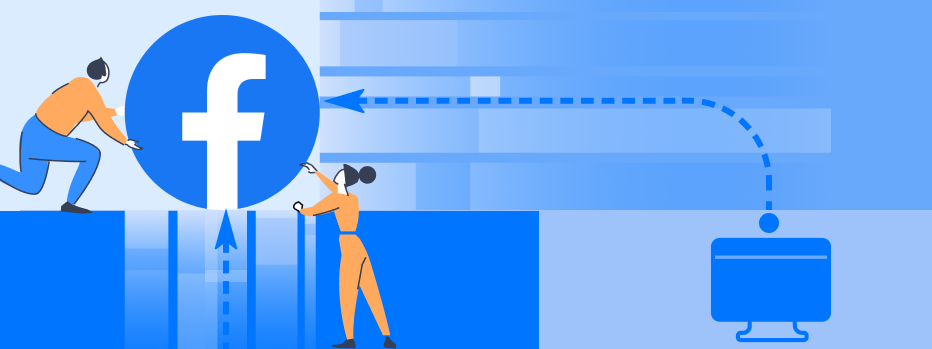
Using the Facebook CAPI can improve the performance of ad campaigns manifold, and dedicating a few weeks to this is a profitable investment. If the standard set of Facebook CAPI tools is not enough or the transfer of non-default metrics is difficult in your product, it’s time to use Tomi.ai. Check the illustration in the header to see what stage you are at.


We have setup data transfer ourselves many times and often use these guides:

  1. Compare Facebook CAPI to Tomi.ai
  2. Facebook CAPI Developers Setup Guide by Meta
  3. Setup Facebook CAPI. Video guide
  4. Setup Facebook CAPI via GTM. Video guide

Facebook Conversions API helps connect offline purchases with paid traffic users, measure the conversion of custom events, and bypass some cookie blockers. This is the first (and free) step towards improving the quality of leads from paid channels:

1. Set up the Facebook CAPI via code (not GTM)

You can set up Facebook CAPI either by directly putting the script into the website code with the help of your engineering team, or by setting it up yourself via GTM. The GTM setup instructions are easy to follow.

But installation via GTM limits the functionality of the Facebook CAPI, and you may think that the problem is with the service.

💡 “If you use the simplified setup with Google Tag Manager, you will have limited functionality for Facebook CAPI.”

2. Use special events

Special events are a great tool to optimize advertising not for default Facebook events, but for product metrics that will tie marketing activity to business indicators. Such a metric, for example, can be ROAS, ROI, LTV, and other.

Usually, setting up such events is difficult, but we have found the most comprehensive guide for you on how to set it up → Facebook’s instructions.

💡 “Do not extrapolate the value of the event, especially when calculating complex metrics.”

Essentially, Facebook’s task is to differentiate valuable visitors from low-intent ones. If you make such an assumption for each Add to cart action, you average out the value of the audiences and reduce Facebook’s ability to distinguish between them.

3. Add two fields to lead forms on you site to increase the match rate

Track ClientID and generate LeadID on the website (and not in the CRM), linking them together in analytics systems. This will let you link visits to the CRM records which significantly improves match rate.

Using the Facebook CAPI can improve the performance of ad campaigns manifold, and dedicating a few weeks to this is a profitable investment. If the standard set of Facebook CAPI tools is not enough or the transfer of non-default metrics is difficult in your product, it’s time to use Tomi.ai. Check the illustration in the header to see what stage you are at.


We have setup data transfer ourselves many times and often use these guides:

  1. Compare Facebook CAPI to Tomi.ai
  2. Facebook CAPI Developers Setup Guide by Meta
  3. Setup Facebook CAPI. Video guide
  4. Setup Facebook CAPI via GTM. Video guide

Facebook Conversions API helps connect offline purchases with paid traffic users, measure the conversion of custom events, and bypass some cookie blockers. This is the first (and free) step towards improving the quality of leads from paid channels:

1. Set up the Facebook CAPI via code (not GTM)

You can set up Facebook CAPI either by directly putting the script into the website code with the help of your engineering team, or by setting it up yourself via GTM. The GTM setup instructions are easy to follow.

But installation via GTM limits the functionality of the Facebook CAPI, and you may think that the problem is with the service.

💡 “If you use the simplified setup with Google Tag Manager, you will have limited functionality for Facebook CAPI.”

2. Use special events

Special events are a great tool to optimize advertising not for default Facebook events, but for product metrics that will tie marketing activity to business indicators. Such a metric, for example, can be ROAS, ROI, LTV, and other.

Usually, setting up such events is difficult, but we have found the most comprehensive guide for you on how to set it up → Facebook’s instructions.

💡 “Do not extrapolate the value of the event, especially when calculating complex metrics.”

Essentially, Facebook’s task is to differentiate valuable visitors from low-intent ones. If you make such an assumption for each Add to cart action, you average out the value of the audiences and reduce Facebook’s ability to distinguish between them.

3. Add two fields to lead forms on you site to increase the match rate

Track ClientID and generate LeadID on the website (and not in the CRM), linking them together in analytics systems. This will let you link visits to the CRM records which significantly improves match rate.

Using the Facebook CAPI can improve the performance of ad campaigns manifold, and dedicating a few weeks to this is a profitable investment. If the standard set of Facebook CAPI tools is not enough or the transfer of non-default metrics is difficult in your product, it’s time to use Tomi.ai. Check the illustration in the header to see what stage you are at.


We have setup data transfer ourselves many times and often use these guides:
  1. Compare Facebook CAPI to Tomi.ai
  2. Facebook CAPI Developers Setup Guide by Meta
  3. Setup Facebook CAPI. Video guide
  4. Setup Facebook CAPI via GTM. Video guide
← Back

3 pro tips for setting up Facebook CAPI

3 pro tips for setting up Facebook CAPI

3 pro tips for setting up Facebook CAPI

MarketingJul 10, 2023•2 min read
3 pro tips for setting up Facebook CAPI

Facebook Conversions API helps connect offline purchases with paid traffic users, measure the conversion of custom events, and bypass some cookie blockers. This is the first (and free) step towards improving the quality of leads from paid channels:

1. Set up the Facebook CAPI via code (not GTM)

You can set up Facebook CAPI either by directly putting the script into the website code with the help of your engineering team, or by setting it up yourself via GTM. The GTM setup instructions are easy to follow.

But installation via GTM limits the functionality of the Facebook CAPI, and you may think that the problem is with the service.

💡 “If you use the simplified setup with Google Tag Manager, you will have limited functionality for Facebook CAPI.”

2. Use special events

Special events are a great tool to optimize advertising not for default Facebook events, but for product metrics that will tie marketing activity to business indicators. Such a metric, for example, can be ROAS, ROI, LTV, and other.

Usually, setting up such events is difficult, but we have found the most comprehensive guide for you on how to set it up → Facebook’s instructions.

💡 “Do not extrapolate the value of the event, especially when calculating complex metrics.”

Essentially, Facebook’s task is to differentiate valuable visitors from low-intent ones. If you make such an assumption for each Add to cart action, you average out the value of the audiences and reduce Facebook’s ability to distinguish between them.

3. Add two fields to lead forms on you site to increase the match rate

Track ClientID and generate LeadID on the website (and not in the CRM), linking them together in analytics systems. This will let you link visits to the CRM records which significantly improves match rate.

Using the Facebook CAPI can improve the performance of ad campaigns manifold, and dedicating a few weeks to this is a profitable investment. If the standard set of Facebook CAPI tools is not enough or the transfer of non-default metrics is difficult in your product, it’s time to use Tomi.ai. Check the illustration in the header to see what stage you are at.


We have setup data transfer ourselves many times and often use these guides:

  1. Compare Facebook CAPI to Tomi.ai
  2. Facebook CAPI Developers Setup Guide by Meta
  3. Setup Facebook CAPI. Video guide
  4. Setup Facebook CAPI via GTM. Video guide

Facebook Conversions API helps connect offline purchases with paid traffic users, measure the conversion of custom events, and bypass some cookie blockers. This is the first (and free) step towards improving the quality of leads from paid channels:

1. Set up the Facebook CAPI via code (not GTM)

You can set up Facebook CAPI either by directly putting the script into the website code with the help of your engineering team, or by setting it up yourself via GTM. The GTM setup instructions are easy to follow.

But installation via GTM limits the functionality of the Facebook CAPI, and you may think that the problem is with the service.

💡 “If you use the simplified setup with Google Tag Manager, you will have limited functionality for Facebook CAPI.”

2. Use special events

Special events are a great tool to optimize advertising not for default Facebook events, but for product metrics that will tie marketing activity to business indicators. Such a metric, for example, can be ROAS, ROI, LTV, and other.

Usually, setting up such events is difficult, but we have found the most comprehensive guide for you on how to set it up → Facebook’s instructions.

💡 “Do not extrapolate the value of the event, especially when calculating complex metrics.”

Essentially, Facebook’s task is to differentiate valuable visitors from low-intent ones. If you make such an assumption for each Add to cart action, you average out the value of the audiences and reduce Facebook’s ability to distinguish between them.

3. Add two fields to lead forms on you site to increase the match rate

Track ClientID and generate LeadID on the website (and not in the CRM), linking them together in analytics systems. This will let you link visits to the CRM records which significantly improves match rate.

Using the Facebook CAPI can improve the performance of ad campaigns manifold, and dedicating a few weeks to this is a profitable investment. If the standard set of Facebook CAPI tools is not enough or the transfer of non-default metrics is difficult in your product, it’s time to use Tomi.ai. Check the illustration in the header to see what stage you are at.


We have setup data transfer ourselves many times and often use these guides:

  1. Compare Facebook CAPI to Tomi.ai
  2. Facebook CAPI Developers Setup Guide by Meta
  3. Setup Facebook CAPI. Video guide
  4. Setup Facebook CAPI via GTM. Video guide

Facebook Conversions API helps connect offline purchases with paid traffic users, measure the conversion of custom events, and bypass some cookie blockers. This is the first (and free) step towards improving the quality of leads from paid channels:

1. Set up the Facebook CAPI via code (not GTM)

You can set up Facebook CAPI either by directly putting the script into the website code with the help of your engineering team, or by setting it up yourself via GTM. The GTM setup instructions are easy to follow.

But installation via GTM limits the functionality of the Facebook CAPI, and you may think that the problem is with the service.

💡 “If you use the simplified setup with Google Tag Manager, you will have limited functionality for Facebook CAPI.”

2. Use special events

Special events are a great tool to optimize advertising not for default Facebook events, but for product metrics that will tie marketing activity to business indicators. Such a metric, for example, can be ROAS, ROI, LTV, and other.

Usually, setting up such events is difficult, but we have found the most comprehensive guide for you on how to set it up → Facebook’s instructions.

💡 “Do not extrapolate the value of the event, especially when calculating complex metrics.”

Essentially, Facebook’s task is to differentiate valuable visitors from low-intent ones. If you make such an assumption for each Add to cart action, you average out the value of the audiences and reduce Facebook’s ability to distinguish between them.

3. Add two fields to lead forms on you site to increase the match rate

Track ClientID and generate LeadID on the website (and not in the CRM), linking them together in analytics systems. This will let you link visits to the CRM records which significantly improves match rate.

Using the Facebook CAPI can improve the performance of ad campaigns manifold, and dedicating a few weeks to this is a profitable investment. If the standard set of Facebook CAPI tools is not enough or the transfer of non-default metrics is difficult in your product, it’s time to use Tomi.ai. Check the illustration in the header to see what stage you are at.


We have setup data transfer ourselves many times and often use these guides:

  1. Compare Facebook CAPI to Tomi.ai
  2. Facebook CAPI Developers Setup Guide by Meta
  3. Setup Facebook CAPI. Video guide
  4. Setup Facebook CAPI via GTM. Video guide
← Back

3 pro tips for setting up Facebook CAPI

3 pro tips for setting up Facebook CAPI

3 pro tips for setting up Facebook CAPI

MarketingJul 10, 2023•2 min read
3 pro tips for setting up Facebook CAPI

Facebook Conversions API helps connect offline purchases with paid traffic users, measure the conversion of custom events, and bypass some cookie blockers. This is the first (and free) step towards improving the quality of leads from paid channels:

1. Set up the Facebook CAPI via code (not GTM)

You can set up Facebook CAPI either by directly putting the script into the website code with the help of your engineering team, or by setting it up yourself via GTM. The GTM setup instructions are easy to follow.

But installation via GTM limits the functionality of the Facebook CAPI, and you may think that the problem is with the service.

💡 “If you use the simplified setup with Google Tag Manager, you will have limited functionality for Facebook CAPI.”

2. Use special events

Special events are a great tool to optimize advertising not for default Facebook events, but for product metrics that will tie marketing activity to business indicators. Such a metric, for example, can be ROAS, ROI, LTV, and other.

Usually, setting up such events is difficult, but we have found the most comprehensive guide for you on how to set it up → Facebook’s instructions.

💡 “Do not extrapolate the value of the event, especially when calculating complex metrics.”

Essentially, Facebook’s task is to differentiate valuable visitors from low-intent ones. If you make such an assumption for each Add to cart action, you average out the value of the audiences and reduce Facebook’s ability to distinguish between them.

3. Add two fields to lead forms on you site to increase the match rate

Track ClientID and generate LeadID on the website (and not in the CRM), linking them together in analytics systems. This will let you link visits to the CRM records which significantly improves match rate.

Using the Facebook CAPI can improve the performance of ad campaigns manifold, and dedicating a few weeks to this is a profitable investment. If the standard set of Facebook CAPI tools is not enough or the transfer of non-default metrics is difficult in your product, it’s time to use Tomi.ai. Check the illustration in the header to see what stage you are at.


We have setup data transfer ourselves many times and often use these guides:

  1. Compare Facebook CAPI to Tomi.ai
  2. Facebook CAPI Developers Setup Guide by Meta
  3. Setup Facebook CAPI. Video guide
  4. Setup Facebook CAPI via GTM. Video guide

Facebook Conversions API helps connect offline purchases with paid traffic users, measure the conversion of custom events, and bypass some cookie blockers. This is the first (and free) step towards improving the quality of leads from paid channels:

1. Set up the Facebook CAPI via code (not GTM)

You can set up Facebook CAPI either by directly putting the script into the website code with the help of your engineering team, or by setting it up yourself via GTM. The GTM setup instructions are easy to follow.

But installation via GTM limits the functionality of the Facebook CAPI, and you may think that the problem is with the service.

💡 “If you use the simplified setup with Google Tag Manager, you will have limited functionality for Facebook CAPI.”

2. Use special events

Special events are a great tool to optimize advertising not for default Facebook events, but for product metrics that will tie marketing activity to business indicators. Such a metric, for example, can be ROAS, ROI, LTV, and other.

Usually, setting up such events is difficult, but we have found the most comprehensive guide for you on how to set it up → Facebook’s instructions.

💡 “Do not extrapolate the value of the event, especially when calculating complex metrics.”

Essentially, Facebook’s task is to differentiate valuable visitors from low-intent ones. If you make such an assumption for each Add to cart action, you average out the value of the audiences and reduce Facebook’s ability to distinguish between them.

3. Add two fields to lead forms on you site to increase the match rate

Track ClientID and generate LeadID on the website (and not in the CRM), linking them together in analytics systems. This will let you link visits to the CRM records which significantly improves match rate.

Using the Facebook CAPI can improve the performance of ad campaigns manifold, and dedicating a few weeks to this is a profitable investment. If the standard set of Facebook CAPI tools is not enough or the transfer of non-default metrics is difficult in your product, it’s time to use Tomi.ai. Check the illustration in the header to see what stage you are at.


We have setup data transfer ourselves many times and often use these guides:

  1. Compare Facebook CAPI to Tomi.ai
  2. Facebook CAPI Developers Setup Guide by Meta
  3. Setup Facebook CAPI. Video guide
  4. Setup Facebook CAPI via GTM. Video guide

Facebook Conversions API helps connect offline purchases with paid traffic users, measure the conversion of custom events, and bypass some cookie blockers. This is the first (and free) step towards improving the quality of leads from paid channels:

1. Set up the Facebook CAPI via code (not GTM)

You can set up Facebook CAPI either by directly putting the script into the website code with the help of your engineering team, or by setting it up yourself via GTM. The GTM setup instructions are easy to follow.

But installation via GTM limits the functionality of the Facebook CAPI, and you may think that the problem is with the service.

💡 “If you use the simplified setup with Google Tag Manager, you will have limited functionality for Facebook CAPI.”

2. Use special events

Special events are a great tool to optimize advertising not for default Facebook events, but for product metrics that will tie marketing activity to business indicators. Such a metric, for example, can be ROAS, ROI, LTV, and other.

Usually, setting up such events is difficult, but we have found the most comprehensive guide for you on how to set it up → Facebook’s instructions.

💡 “Do not extrapolate the value of the event, especially when calculating complex metrics.”

Essentially, Facebook’s task is to differentiate valuable visitors from low-intent ones. If you make such an assumption for each Add to cart action, you average out the value of the audiences and reduce Facebook’s ability to distinguish between them.

3. Add two fields to lead forms on you site to increase the match rate

Track ClientID and generate LeadID on the website (and not in the CRM), linking them together in analytics systems. This will let you link visits to the CRM records which significantly improves match rate.

Using the Facebook CAPI can improve the performance of ad campaigns manifold, and dedicating a few weeks to this is a profitable investment. If the standard set of Facebook CAPI tools is not enough or the transfer of non-default metrics is difficult in your product, it’s time to use Tomi.ai. Check the illustration in the header to see what stage you are at.


We have setup data transfer ourselves many times and often use these guides:

  1. Compare Facebook CAPI to Tomi.ai
  2. Facebook CAPI Developers Setup Guide by Meta
  3. Setup Facebook CAPI. Video guide
  4. Setup Facebook CAPI via GTM. Video guide

Keep in the loop

Just a friendly reminder — we write savvy marketing posts on offbeat topics. Join us so you don't miss out on updates.

This site is protected by reCAPTCHA and the Google Privacy Policy and Terms of Service apply.

Keep in the loop

Just a friendly reminder — we write savvy marketing posts on offbeat topics. Join us so you don't miss out on updates.

This site is protected by reCAPTCHA and the Google Privacy Policy and Terms of Service apply.

Keep in the loop

Just a friendly reminder — we write savvy marketing posts on offbeat topics. Join us so you don't miss out on updates.

This site is protected by reCAPTCHA and the Google Privacy Policy and Terms of Service apply.

Keep reading

All posts
Advanced A/B-Testing
Marketing

Advanced A/B-Testing

Focusing on click-through and view-through rates isn’t enough. Aim to measure the value of inbound leads and website traffic generated by your advertising creatives.

Jun 15, 2023•2 min read
Predictive Lead Scoring, A/B Testing, and Post-Click Attribution
Marketing

Predictive Lead Scoring, A/B Testing, and Post-Click Attribution

Traditional attribution, A/B testing, and lead scoring aren’t always best for businesses with long sales cycles or limited data. Predictive machine learning offers a better way.

May 17, 2023•8 min read
3 ways to increase the effectiveness of your digital ad campaigns
Marketing

3 ways to increase the effectiveness of your digital ad campaigns

The most effective methods start with first-party data and predictive technologies. Here are three ways to boost your campaigns — Conversion API, look-alike audiences, and retargeting.

Apr 24, 2023•6 min read

Keep reading

All posts
Advanced A/B-Testing
Marketing

Advanced A/B-Testing

Focusing on click-through and view-through rates isn’t enough. Aim to measure the value of inbound leads and website traffic generated by your advertising creatives.

Jun 15, 2023•2 min read
Predictive Lead Scoring, A/B Testing, and Post-Click Attribution
Marketing

Predictive Lead Scoring, A/B Testing, and Post-Click Attribution

Traditional attribution, A/B testing, and lead scoring aren’t always best for businesses with long sales cycles or limited data. Predictive machine learning offers a better way.

May 17, 2023•8 min read
3 ways to increase the effectiveness of your digital ad campaigns
Marketing

3 ways to increase the effectiveness of your digital ad campaigns

The most effective methods start with first-party data and predictive technologies. Here are three ways to boost your campaigns — Conversion API, look-alike audiences, and retargeting.

Apr 24, 2023•6 min read

Keep reading

All posts
Advanced A/B-Testing
Marketing

Advanced A/B-Testing

Focusing on click-through and view-through rates isn’t enough. Aim to measure the value of inbound leads and website traffic generated by your advertising creatives.

Jun 15, 2023•2 min read
Predictive Lead Scoring, A/B Testing, and Post-Click Attribution
Marketing

Predictive Lead Scoring, A/B Testing, and Post-Click Attribution

Traditional attribution, A/B testing, and lead scoring aren’t always best for businesses with long sales cycles or limited data. Predictive machine learning offers a better way.

May 17, 2023•8 min read
3 ways to increase the effectiveness of your digital ad campaigns
Marketing

3 ways to increase the effectiveness of your digital ad campaigns

The most effective methods start with first-party data and predictive technologies. Here are three ways to boost your campaigns — Conversion API, look-alike audiences, and retargeting.

Apr 24, 2023•6 min read

Company

Pricing

Legal

Terms of UsePrivacy PolicyData Processing AddendumReasonable Use PolicyCookie Policy

Contact Us

sales@tomi.ai(+1) 917-720-3264
440 N. Wolfe Rd.,
Sunnyvale, CA 94085
Powered byStartXGDPR CompliantGDPR CompliantWorking with Drata on SOC2AICPA SOC 2
Tomi.ai, Inc.

Copyright © 2020 – 2026 Tomi.ai, Inc.

Company

Pricing

Legal

Terms of UsePrivacy PolicyData Processing AddendumReasonable Use PolicyCookie Policy

Contact Us

sales@tomi.ai(+1) 917-720-3264
440 N. Wolfe Rd.,
Sunnyvale, CA 94085
Powered byStartXGDPR CompliantGDPR CompliantWorking with Drata on SOC2AICPA SOC 2
Tomi.ai, Inc.

Copyright © 2020 – 2026 Tomi.ai, Inc.

Company

Pricing

Legal

Terms of UsePrivacy PolicyData Processing AddendumReasonable Use PolicyCookie Policy

Contact Us

sales@tomi.ai(+1) 917-720-3264
440 N. Wolfe Rd.,
Sunnyvale, CA 94085
Powered byStartXGDPR CompliantGDPR CompliantWorking with Drata on SOC2AICPA SOC 2
Tomi.ai, Inc.

Copyright © 2020 – 2026 Tomi.ai, Inc.